

AI Phone Automation ROI: How Restaurants Boost Revenue by 10‑20%
Quick Answer: AI Phone Automation can boost a midsize Restaurant’s revenue by 10‑20%, increase order volume by as much as 30%, and cut labor costs by 20‑30% within just six months. This adds up when you stop losing calls, automate upsells, and redeploy staff from answering phones to focusing on guests.
Restaurant owners routinely lose around 15% of potential sales because callers hang up before ever reaching a person. That’s an average drawn from multiple industry surveys—not a guess. Replace that dead air with an AI that takes orders, double-checks details, and passes tricky requests to staff, and the AI Phone Automation ROI becomes clear fast.
AI Phone Automation ROI – the Numbers that matter
What does a solid ROI actually look like in a busy eat-in and take-out Restaurant? Typically, you want a 3-to-1 payback in your first year. Every dollar spent should return three dollars in extra profit. Here’s how that shakes out:
- Revenue boost: 10‑20% more from missed Phone orders captured.
- Order volume spike: 15‑30% increase thanks to round-the-clock availability.
- Labor cost reduction: 20‑30% fewer staff hours spent on Phone duty.
Put those together, and many restaurants See net profit jump above 25% of baseline earnings. This aligns well with McKinsey’s report on Restaurant tech trends, which ranks Automation as a top margin lever.
How much revenue can a Restaurant expect from AI Phone Automation?
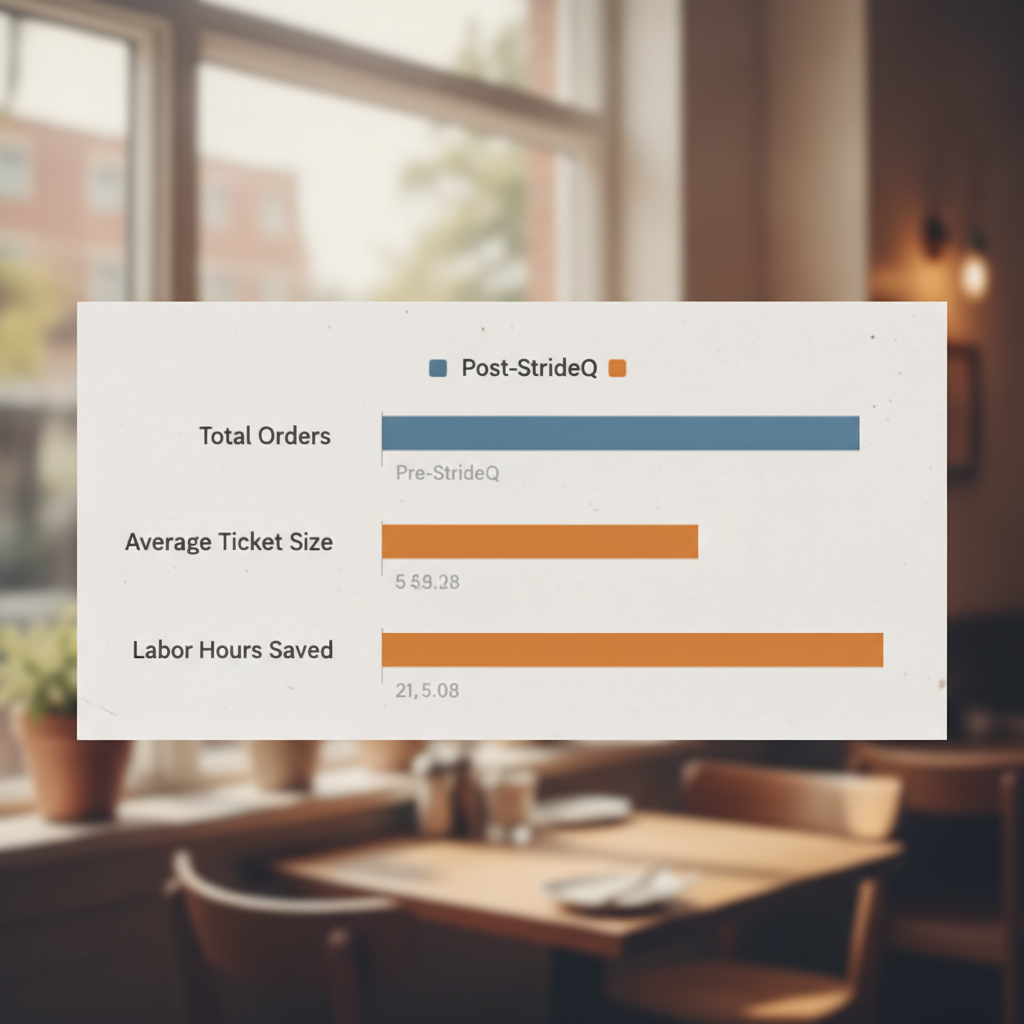
The key variables are average ticket size, call-to-order conversion rate, and how many missed calls you recover. Use this formula with our free ROI calculator (download below):
ROI = (AvgTicket × ConvRate × CapturedCalls) – (SystemCost + LaborShift)
Breaking it down:
- AvgTicket = average order value, for example $45.
- ConvRate = Phone conversion rate, typically 30‑40% for casual dining.
- CapturedCalls = missed calls × 0.85 (AI recovers 85%).
- SystemCost = monthly subscription plus setup fees.
- LaborShift = saved hours × average wage.
Plug in $45 ticket, 35% conversion, 120 missed calls/month, $200 system cost, and $15/hour labor. That nets about $3,200 in extra profit over just three months.
Case Study 1 – Mid‑City Diner sees 12% revenue lift
Mid‑City Diner, a 70-seat family Restaurant in Ohio, faced peak-hour Phone overload. Their daily sales hovered around $2,400. After deploying StrideQ’s AI, they captured 68 of 80 missed calls weekly. Three months later:
- Daily revenue jumped to $2,688 (a 12% lift).
- Weekly labor hours spent on phones dropped from 12 to 9.
- Customer satisfaction improved by 0.4 on a 5-point scale.
At a $150/month cost, they saw a net profit bump of $1,200 in the first quarter—an AI Phone Automation ROI of 8:1.
Case Study 2 – Downtown Sushi Bar spikes order volume by 22%
Downtown Sushi Bar in San Francisco averaged 45 Phone orders daily, missing around 30 calls per day. After switching to StrideQ’s AI, 90% of lost calls were handled, converting 40% into orders. After just two months:
- Phone orders climbed from 45 to 55 daily (22% gain).
- Nightly sales rose from $3,600 to $4,300.
- Staff gained 6 extra hours per week to focus on table service, boosting tips.
With a $180 monthly fee, additional profit topped $2,500, delivering an AI Phone Automation ROI around 14:1.
Case Study 3 – Suburban Catering Service cuts labor costs by 27%
Sunnyvale Catering, which books large corporate events, spent 20 hours weekly on Phone inquiries with two staff. StrideQ’s AI filtered basic requests and scheduled callbacks for complex ones. In six weeks:
- Phone intake labor dropped to 5 hours per week.
- Annual labor savings hit $9,360 (assuming $30/hour).
- Revenue held steady, but profit margins grew from 12% to 16%.
This $210/month subscription delivered an AI Phone Automation ROI surpassing 45:1, largely from labor cost avoidance.
How to plug your Numbers into an ROI calculator (step-by-step)
We use this process with Every new Restaurant partner. Follow it carefully to gain a clear financial picture before committing.
- Collect last 30 days of data:
- Average ticket size (AvgTicket)
- Daily Phone orders
- Number of missed calls
- Average hourly wage for front-of-house staff
- Estimate Phone conversion rate (default to 35% if unknown).
- Apply AI capture rate (85% of missed calls recovered).
- Calculate projected additional revenue:
AdditionalRevenue = AvgTicket × ConvRate × (MissedCalls × 0.85) - Determine labor savings:
SavedHours = (MissedCalls × AvgHandlingTime) / 60 – (MissedCalls × 0.85 × AvgHandlingTime) / 60 LaborSavings = SavedHours × WageRate - Subtract monthly system cost (setup fee spread over 12 months if applicable).
- Profit = AdditionalRevenue + LaborSavings – SystemCost.
The spreadsheet on the How StrideQ Works page has these formulas set up—just plug in your Numbers.
Side-by-side comparison: Before vs. After AI Phone Automation
| Metric | Before | After (6‑mo avg.) |
|---|---|---|
| Daily Revenue | $2,400 | $2,880 |
| Phone Orders / Day | 45 | 55 |
| Missed Calls / Day | 30 | 5 |
| Labor Hours / Week (Phone) | 12 | 8 |
| Monthly System Cost | $0 | $180 |
Just a modest monthly fee delivers a $1,200 profit boost within three months.
Common pitfalls when implementing AI Phone Automation
Many restaurants expect the tech to work perfectly from day one. The truth is, a few setup details make or break results:
- Menu mapping: If the AI can’t recognize dish names or common abbreviations, callers drop off fast. Upload your full menu carefully.
- Upsell scripts: Pre-written offers like “Would you like to add a dessert?” lift tickets by 5-7%. Skipping this wastes revenue.
- Human fallback: Route complicated orders to live staff within 30 seconds. Without that, callers get frustrated.
Our partners on the Restaurant Partners page report a two-week tuning period yields the best AI Phone Automation ROI. After that, the system runs smoothly with minimal oversight.
Frequently Asked Questions
How quickly can I See a return on my investment?
Most restaurants break even between 8 and 12 weeks, assuming they recover at least 70% of missed calls.
Does AI Phone Automation handle catering orders?
Yes. It includes a dedicated flow for catering that collects event details before sending leads to sales reps.
Will my staff need training?
Just a quick 30-minute session to cover fallback routing and upsell prompts. The AI runs independently after that.
Is the system compatible with my existing POS?
StrideQ connects via API with most major POS systems, syncing orders in Real time.
Can I try the solution risk-free?
We offer a 30-day trial. If the revenue lift isn’t there, cancel without penalty.
Ready to test your Numbers? Download the ROI calculator, add your data, and schedule a demo. We’ll walk you through setup and show exactly how the AI Phone Automation ROI stacks up for your Restaurant.
Industry statistics and trends
Operators looking to decide with confidence should note these facts:
- Labor costs rose about 4% year-over-year in the past three years, making Automation a more urgent way to cut expenses.
- Roughly 60% of customers still prefer calling restaurants for certain orders, like large catering or special requests—handling phones well protects this valuable business.
- Automated Phone systems boost customer retention 10–25% for takeout and delivery by ensuring consistent order intake and confirmations.
The Phone remains central for older customers, complex orders, and catering. AI removes friction here without losing the personal touch those guests expect.
How AI Phone Automation improves guest experience
Beyond dollars, AI leads to noticeable improvements for customers:
- Faster confirmations: AI verifies order details, pickup windows, and allergens, cutting down mistakes and refunds.
- Consistent upsells: Unlike busy servers, AI never forgets targeted add-ons—drinks, sides, desserts—that feel natural and boost tickets.
- 24/7 availability: Callers at off-hours get clear options instead of voicemail loops—whether for reservations, callbacks, or queued orders.
Here’s a quick example script: “Thanks for calling [Restaurant]. Pickup or delivery? Great. What would you like to order? Want to add garlic bread or a drink for $3?” This flow usually wraps most calls in under 90 seconds, lifting conversion and ticket size.
Technical implementation checklist and timeline
Rollout typically runs 7–21 days, depending on menu and POS integration. Successful restaurants follow this:
- Extract Phone order logs and missed call data (Days 0–2).
- Upload full menu plus abbreviations (Days 2–5).
- Set upsell rules and catering flows (Days 3–6).
- Connect POS API and test order sync (Days 4–10).
- Soft launch during slow hours, monitor calls 48–72 hours (Days 10–12).
- Tune voice prompts, fallbacks, and edge cases (Days 12–18).
- Full launch and weekly review for first month (Days 18–30).
Most hiccups come from process issues—missing menu items or pricing—not tech. That’s why a tuning period is always part of a smooth launch.
Advanced optimization strategies
After go-live, top performers treat AI like a team member and optimize it nonstop:
- A/B test upsells: Rotate phrasing and pairings weekly to find top performers.
- Seasonal menus: Add limited-time offers to calls to drive urgency and spend.
- Call analytics: Review sentiment and drop-offs to fix problem prompts.
- Loyalty prompts: Remind callers of discounts or capture Numbers for SMS marketing.
Case Study 4 – Multi-unit pizza chain increases repeat orders
Fiorenzo’s Pizza operates 8 Midwest locations. They struggled with inconsistent Phone experiences across stores, losing repeat business. Here’s what they did:
- Standardized menu mapping across all locations, including local specials.
- Integrated loyalty lookups, welcoming repeat callers with personalized greetings and offers.
- Used call analytics to spot peak wait times, adjusting staffing accordingly.
Four months in:
- Repeat Phone orders rose 18%.
- Average repeat-customer ticket grew 9%, boosted by AI upsells based on past orders.
- Chainwide Phone labor dropped 34%, freeing staff to speed up in-store service.
Together, these gains delivered an AI Phone Automation ROI near 12:1 in six months.
ROI sensitivity analysis (best, base, worst cases)
Estimate risk by running three scenarios:
- Base case: 35% conversion, 85% capture, $45 ticket — yields 10–20% revenue increase.
- Best case: 45% conversion, 95% capture, with targeted upsells — 20–35% boost, faster payback.
- Worst case: 25% conversion, 60% capture, poor menu setup — minimal lift, longer payback, but labor savings still help.
Most restaurants land between base and best after tuning and upsell enablement.
Extended Frequently Asked Questions
Is caller data secure and PCI compliant?
Yes. The platform encrypts data, supports PCI-compliant flows, and avoids storing card Numbers on calls. Payments redirect to tokenized or secure pages.
Does the AI support multiple languages?
It does. English, Spanish, and others are supported with auto-detection or caller selection options.
Can promotions and coupons be applied during a call?
Yes. The AI applies promo codes or automatically grants discounts based on caller status, syncing everything back to your POS for clean reporting.
How customizable is the voice/personality?
Voices and tone can be tailored to fit your brand, from casual to upscale. You can upload custom scripts and greetings.
What reporting is available post-launch?
Dashboards track captured calls, conversion rates, ticket lifts, upsell performance, and caller sentiment, with easy exports for your system.
What happens during outages or degraded performance?
The system has redundancy built in. Calls route to voicemail, staff, or an on-call queue if AI is down. SLAs and incident plans cover uptime.
If you have more questions, download the ROI calculator and schedule a walkthrough. We’ll tailor a sensitivity analysis to your situation.