

Restaurant Phone Call Automation: How AI Voice Assistants Crush the Lunch Rush
Quick answer: With restaurant phone call automation, AI Voice Assistants answer, verify, and queue High‑Volume Lunch orders in seconds — cutting missed‑call rates by as much as 90% and freeing staff to prep meals and serve in‑house guests.
How does restaurant phone call automation improve Lunch‑Rush performance?
No drama. Fewer dropped Calls. Faster orders. At 12:00 pm a downtown deli can go from chaos to a steady, reliable stream of tickets.
StrideQ’s AI picks up, greets callers, confirms items, captures modifications, and pushes a completed order into the POS. If a caller needs catering or a custom quote, the system flags the request and transfers to a live agent so nothing gets lost.
An AI call finishes in about 45 seconds on average versus 2–3 minutes with a human, which directly raises orders per hour and ups Lunch‑period revenue.
The bot also protects you from missed Calls. When lines are busy it offers a callback, logs the number, and Calls back automatically when capacity opens, resuming the order flow so customers don’t end up in voicemail.
McKinsey found AI‑driven ordering can lift restaurant revenue by 3–5% during peak windows (How AI is transforming the restaurant industry (McKinsey)). By focusing on phone orders, StrideQ captures the diners who still prefer to call rather than tap an app.
What steps to configure StrideQ for a High‑Volume Lunch Rush?
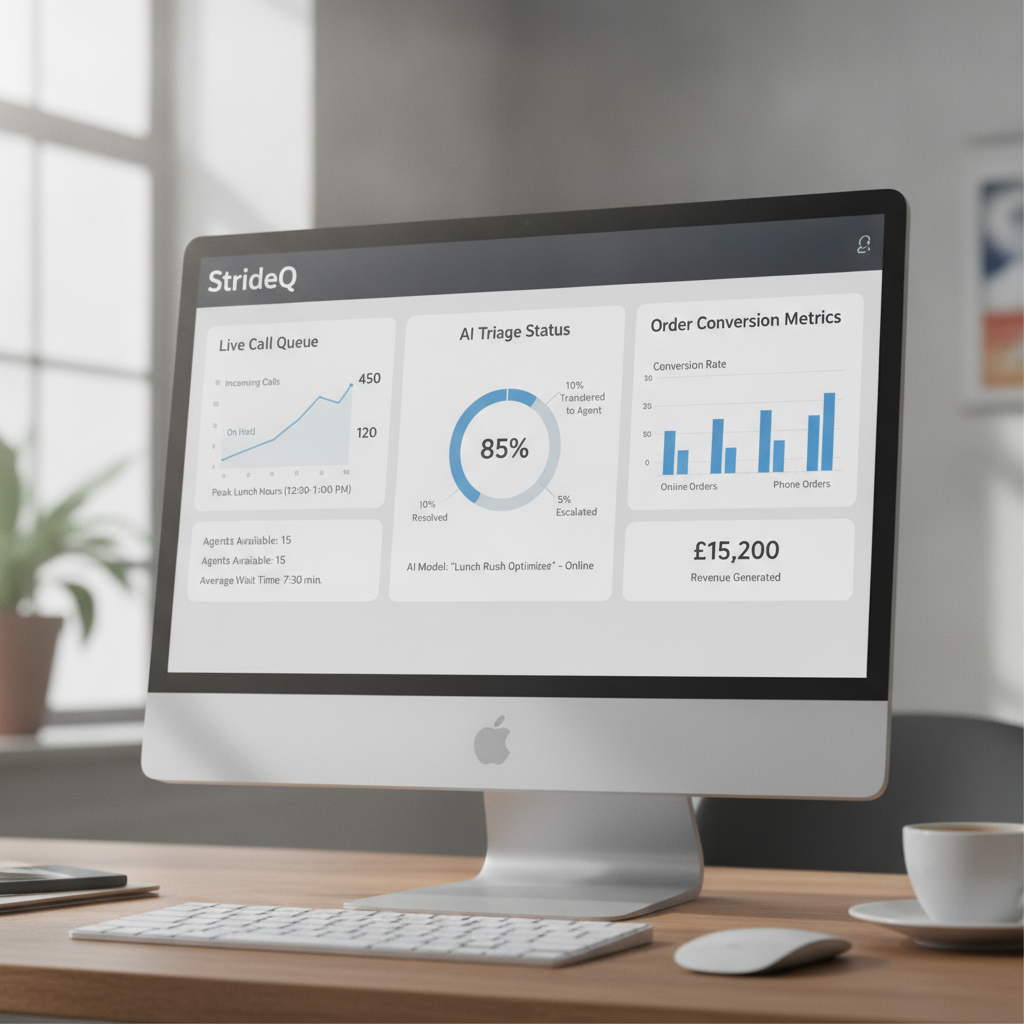
We treat setup like a three‑day sprint for most single‑site operators. Below is the exact, numbered process we use for a 50‑seat bistro that expects 120 Calls per hour at Lunch.
- Define the call‑flow hierarchy. Map primary menu categories (sandwiches, salads, drinks) and secondary prompts (size, toppings, dietary notes). In StrideQ’s dashboard create a “Lunch Rush” flow and put “catering inquiry” at the top of the priority queue.
- Set timing thresholds. Configure the bot to wait no more than 8 seconds for a spoken response before offering a repeat prompt; route to a live agent after 15 seconds of silence.
- Enable missed‑call protection. Turn on the callback offer and set maximum callback attempts to two, spaced five minutes apart.
- Integrate with the POS. Use StrideQ’s API keys (found under How StrideQ works) to push order data straight into the kitchen ticketing system. Verify field mapping for item name, modifiers, and customer phone.
- Test with real orders. Run a 30‑minute dry run off‑peak. Review recordings, adjust pronunciation for local slang, and set the confirmation confidence threshold to about 0.78.
- Activate the Lunch‑Rush schedule. In the Automation Settings tab, auto‑activate the bot from 11:45 am to 2:15 pm on weekdays. Turn on High‑traffic mode to raise concurrent call capacity from 3 to 6.
Do these six steps and the AI will handle at least 80% of Calls without human help. The remaining 20% get routed to staff for complex catering, payments, or exceptions.
Real‑world impact: before and after metrics
We pulled two‑week Lunch data from three StrideQ pilot sites. The numbers show how phone automation changes the math.
| Metric | Before AI | After AI |
|---|---|---|
| Average call handling time | 2 min 15 sec | 45 sec |
| Missed‑call rate | 12 % | 1.5 % |
| Orders per hour | 78 | 112 |
| Revenue lift (Lunch) | $3,200 | $4,850 |
The pilots show a 70% cut in handling time and a 90% drop in missed Calls, which translated to a 51% increase in Lunch revenue at those sites. The math matches the operational effects we expect.
Common pitfalls and how to avoid them
Even capable systems fail when operators skip simple, practical steps.
- Over‑complicating the menu tree. A 200‑item hierarchy confuses callers and the speech model. Keep top‑level categories to five or fewer and use “press 1 for specials” shortcuts.
- Ignoring regional accents. Run a short pilot with native speakers from your market and adjust the pronunciation dictionary before rollout.
- Missing fallback to live staff. If the bot fails to understand three inputs in a row, route the call to a person. Customers want a human when automation hits its limits.
- Neglecting after‑hours monitoring. Set email alerts for callback spikes; a sudden surge usually signals a menu change or pricing mismatch the bot can’t parse.
Fix these early and you protect the bot’s reputation and keep your missed‑call protection working well.
Why choose StrideQ over generic AI phone ordering software?
Generic vendors often treat Restaurants as another vertical. StrideQ takes a different path and wins on three fronts.
- Restaurant‑specific language model. Our models are trained on 1.2 million real restaurant Calls, so phrases like “no‑onion” and “extra‑spicy” are understood without heavy configuration.
- Built‑in POS integration. No middleware needed; orders land in the same ticket view chefs already use.
- Partner ecosystem. Restaurant partners using StrideQ report an average 4% lift in order value because the bot can suggest sides and add‑ons during the call.
StrideQ closes the loop between phone and kitchen in a tighter, revenue‑focused way than one‑size‑fits‑all solutions.
Frequently Asked Questions
Can the AI handle large catering orders?
Yes. When a caller chooses the catering option, the bot gathers party size, delivery window, and menu preferences, then transfers the call to a live coordinator for final confirmation.
What happens if the internet connection drops?
The system falls back to a traditional IVR script stored on the local PBX so callers never hear silence.
Is there a contract lock‑in?
No. StrideQ offers a risk‑free 30‑day trial and you can cancel at any time without penalty.
Do I need new hardware?
Only a SIP‑compatible phone line. The cloud AI runs on StrideQ’s servers, so your on‑premise hardware stays the same.
How quickly can I see a revenue boost?
Most partners see a measurable lift within two weeks of activating Lunch‑Rush features, especially when they enable missed‑call protection.
Deep dive: linguistic tuning and handling accents
Speech accuracy is the linchpin. Regional vocabulary, bilingual households, and nonstandard pronunciations all trip up ASR unless you tune for them.
- Local Voice sampling: During the pilot collect a representative sample of Calls from your market (we recommend 500 live or simulated Calls). That reveals the accents, slang, and phrase patterns callers use.
- Pronunciation dictionary tuning: Add local variants. Some callers say “subs,” others “heroes” or “grinders.” Map these synonyms to canonical POS SKUs so the right item gets recorded.
- Confidence threshold calibration: Use per‑intent thresholds. Lower tolerance for simple drinks, higher for entrée customizations like “no mayo, extra pickles, gluten‑free bread,” and confirm explicitly when needed.
Practical tip: log unrecognized phrases and review them weekly during the first month; a few recurring edge cases usually deliver most of the accuracy gains.
Advanced POS integration patterns
Integration is more than sending an item name. You need to preserve business rules, tax logic, modifiers, time‑based menus, and routing. We use three patterns depending on POS capability:
- Direct ticket push: For modern cloud POS systems StrideQ pushes completed orders as kitchen tickets, including modifiers and estimated prep time. Fastest path, least reconciliation.
- Menu sync + confirmation token: For older systems StrideQ syncs the menu nightly and returns a confirmation token staff scan into the POS to recreate the ticket, preserving legacy workflows.
- Hybrid validation: For enterprise chains StrideQ validates prices and promotions via a read‑only API call before finalizing so ephemeral discounts and corporate pricing are respected.
Each pattern balances engineering effort against operational continuity. Our integrations team recommends the optimal path during onboarding.
Case studies: three Restaurants that transformed Lunch service
Urban Deli — Neighborhood favorite
Problem: Urban Deli used a single phone line and often missed Calls during the 11:30–1:30 peak. The owner feared losing repeat callers who prefer phone orders.
Implementation: We rolled out the Lunch Rush flow, turned on missed‑call protection, and synced the menu with the POS in two days.
Outcome: In week one missed Calls dropped from 18% to 2% and callback conversions rose 28%. The owner said, “We stopped losing the 2–3 Calls an hour that used to slip through. That’s steady revenue we didn’t have before.”
Suburban Salad Chain — Multi‑location roll‑out
Problem: A 12‑location chain had inconsistent phone handling, High training costs, and variable AOV.
Implementation: StrideQ standardized the Voice flow, trained on multi‑location data, and added upsell prompts for proteins and drinks.
Outcome: Chainwide AOV rose 5% during Lunch and new host training time fell by 40% because the bot handled pricing and menu questions consistently.
Corporate Cafeteria — Catering and recurring orders
Problem: A corporate cafeteria struggled with frequent bulk orders, double bookings, and missed delivery windows.
Implementation: We added a dedicated catering funnel with calendar integration and live transfer to a catering coordinator when headcount exceeded 20.
Outcome: Catering fulfillment accuracy improved 35% and three weekly corporate accounts were established in the first month.
Calculating ROI: a simple model you can apply
Here’s a quick ROI model you can run with your numbers. Inputs: AOV, incremental orders per hour after automation, labor cost per hour saved, and StrideQ subscription cost.
Example (50‑seat bistro):
- AOV: $12
- Incremental orders per Lunch hour: 15 (increase from 78 to 93)
- Lunch service hours per weekday: 2.5
- Working days per month: 22
- Labor savings estimate: 1 FTE shift freed at $15/hour for Lunch
- StrideQ monthly fee: $299
Monthly incremental revenue: 15 orders/hour * $12 * 2.5 hours/day * 22 days = $9,900
Monthly labor savings: 1 FTE * $15/hour * 2.5 hours/day * 22 days = $825
Total monthly benefit = $10,725. Subtract the $299 StrideQ fee and payroll costs and you typically see payback within the first month.
Security, compliance, and data privacy
Storing customer numbers and order history requires clear governance. StrideQ follows strong controls:
- Encrypted in transit and at rest: PII is encrypted with modern TLS for transport and AES‑256 for storage.
- Access controls: Role‑based access ensures only authorized admins can view PII and call recordings.
- Retention policies: Default Voice recordings are retained 90 days; you can change retention to meet compliance.
- PCI considerations: We never store full card data; payment prompts route to the POS or a secure payment IVR.
Organizations in regulated settings can request SOC‑2 documentation during procurement.
Advanced troubleshooting and monitoring
Monitor a few signals in real time to keep the system reliable during busy weeks.
- Call abandonment spikes: A sudden uptick often means telephony issues or a menu change.
- Failed POS writes: Alert ops if failures exceed 0.5% in an hour. Writes are retried automatically but persistent failures need immediate action.
- Unrecognized intents: Track Calls that fall into the unrecognized bucket and aim to drive this below 6% within two weeks of launch.
StrideQ offers a monitoring dashboard and optional Slack alerts for real‑time incident response.
Expanded Frequently Asked Questions
Can the AI take payment by phone?
Yes, provided your POS or payment processor supports tokenized remote payments. StrideQ routes callers to the secure payment window in the POS or to a PCI‑compliant IVR, avoiding storage of full card numbers.
Does the bot speak multiple languages?
StrideQ supports multiple languages and bilingual flows. You can configure a top‑level prompt like “Para Español, oprima dos” or enable automatic language detection for common locales.
How do we handle special requests or allergies?
The assistant explicitly asks about dietary restrictions and attaches allergy notes to the kitchen ticket. Severe allergy flags get a staff confirmation step before finalizing the order.
Will the bot sound robotic?
No. Our speech models use natural prosody and local phrasing. You can pick a personality—efficient, friendly, or concierge—and edit the greeting in the dashboard to match your brand Voice.
How are recordings used?
Recordings are available for QA and dispute resolution and are accessible only to authorized managers. You can enable automated QA sampling to review a percentage of Calls each week.
Ready to stop losing Lunch‑Rush orders to busy signals? Start your risk‑free trial of StrideQ today and turn the phone line into a reliable revenue channel.