

AI Phone Ordering ROI: Cut Labor Costs for 50‑seat Restaurants
For a 50-seat restaurant overwhelmed by peak-hour Phone traffic, your AI Phone Ordering ROI centers on cutting routine Phone-handling Labor by 20% to 30%. Handing manual Phone orders over to an AI agent saves hundreds of hours annually, translating directly into five-figure cost reductions. Here is the exact mathematical model, the before-and-after Breakdown, and a rollout playbook built for operators.
A familiar peak‑hour problem
Phones ring nonstop between 11:30 and 1:15, then again from 5:30 to 8:30. Hosts juggle reservations, servers leave the floor to answer takeout calls, and missed calls turn into abandoned orders. That lost capacity forces you to overstaff the host stand just to manage incoming lines.
The right AI Phone Ordering implementation Cuts rostered order-taking hours while protecting order accuracy. The Breakdown below details the math, presents a real cost comparison, and outlines an operational rollout you can run in your restaurant this month.
Why we recommend full inbound automation with human oversight (and not a half‑measure)
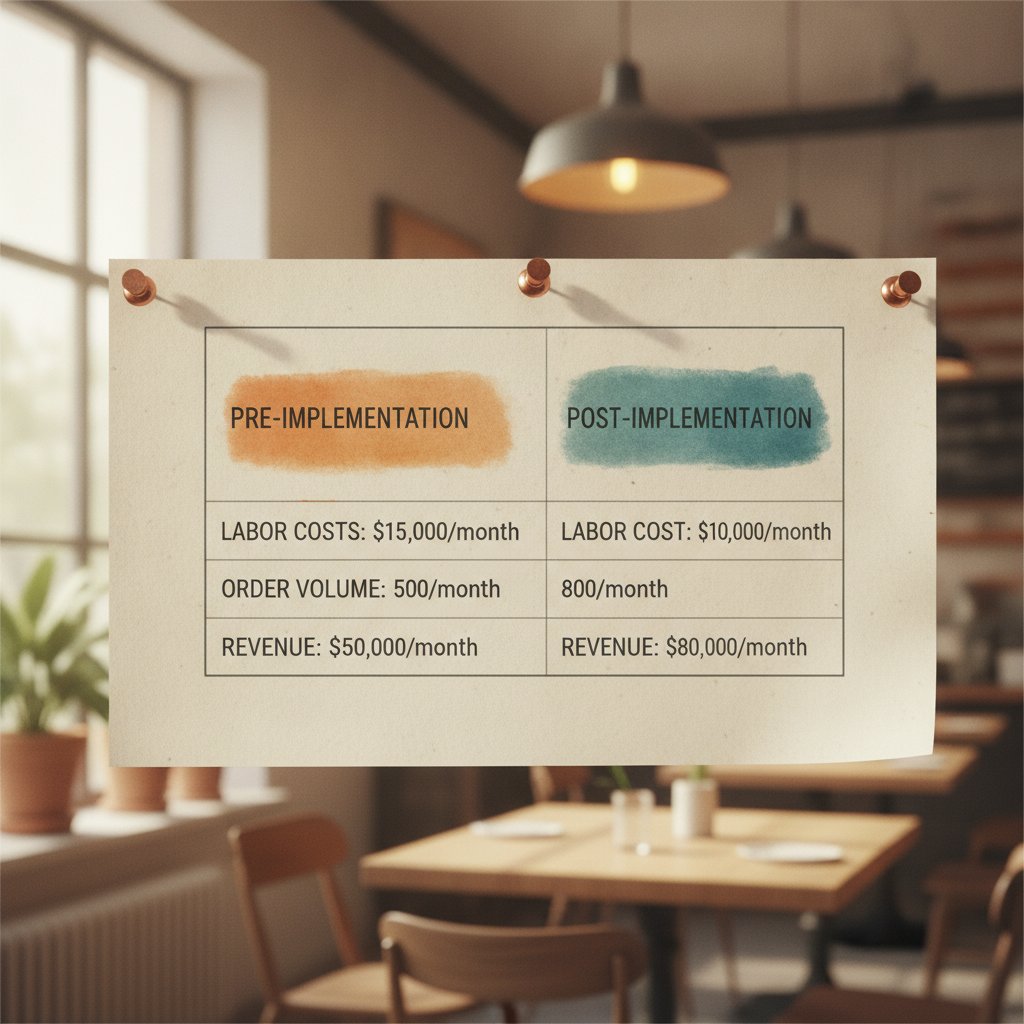
Automate the entire order-taking workflow instead of relying on halfway solutions like voice greetings or call-to-text links. Partial fixes add friction without cutting payroll Costs enough to justify the project. When the system handles the full call flow (taking items, confirming modifiers, processing payment, and sending exceptions to your team), you remove human Labor from routine transactions.
Partial automation collapses under heavy rushes, whereas full inbound automation with clear escalation rules actually trims rostered Labor.
AI Phone Ordering ROI: step-by-step model
This model translates percentage-based Labor reductions into hard dollar savings using explicit assumptions for call volume, handle times, wages, and staffing rules. Plug your numbers into the formula to evaluate conservative and aggressive projections.
Assumptions you must set (replace with your numbers)
- Seats: 50
- Daily covers average: 120 (two standard seatings across lunch and dinner)
- Inbound call volume: 30 calls per day
- Average handle time (AHT) for a human taking an order: 4.5 minutes
- Average fully loaded wage (including payroll taxes and benefits): $18.00 per hour
- Current rostered order-taking Labor: 1.5 FTEs dedicated across shifts (3,120 hours annually across 40 variable scheduling weeks)
- Automation capture rate: 85% of inbound calls resolved without human intervention
Use your restaurant’s actual AHT and fully loaded hourly wage to calculate an accurate return.
Exact steps to compute AI Phone Ordering ROI
- Measure baseline call minutes per day: multiply calls per day by AHT. Example: 30 calls × 4.5 minutes = 135 minutes daily.
- Convert daily minutes into annual Labor hours: (135 minutes × 365 days) / 60 = 821.25 hours per year.
- Calculate baseline annual Labor cost: 821.25 hours × $18.00 = $14,782.50 per year.
- Apply your automation capture rate. At 85% capture, residual staff hours equal 821.25 × (1 – 0.85) = 123.19 hours per year.
- Calculate post-automation Labor cost: 123.19 hours × $18.00 = $2,217.42 per year.
- Determine direct gross Labor savings: $14,782.50 – $2,217.42 = $12,565.08 per year.
- Translate hours into schedule impact: 821.25 saved hours equals roughly 0.4 FTE across your annual schedule.
- Deduct software and setup fees: at an annualized cost of $6,000, your net savings equal $12,565.08 – $6,000 = $6,565.08 in year one.
- Calculate ROI: $6,565.08 net savings / $6,000 cost = 1.09, or a 109% return in year one.
Run these calculations in order using your own call logs to generate an operational baseline.
Before-and-after cost table (50‑seat example)
| Item | Baseline (annual) | After AI (annual) |
|---|---|---|
| Inbound call minutes/day | 135 | 135 |
| Annual hours for order-taking | 821.3 | 123.2 |
| Loaded wage | $18.00/hr | $18.00/hr |
| Labor cost (Phone order-taking) | $14,782.50 | $2,217.42 |
| Annualized AI subscription & implementation | $0 | $6,000 |
| Net annual savings | $6,565.08 |
Under standard Mid-Size volume, the system reaches full payback within 9 to 11 months and expands profit margins every month after.
How to run a sensitivity check (20% vs 30% Labor reduction)
Bracket your projections by modeling two practical scenarios: a conservative 20% total Phone-Labor reduction and a target 30% reduction. Convert each percentage into recovered hours, multiply by your loaded hourly wage, and subtract your expected vendor Costs.
This comparison defines your risk envelope. It shows whether the software pays for itself within your required payback window (typically 12 to 18 months).
Base your purchasing decision on the conservative 20% case meeting your minimum financial hurdle before counting on higher returns.
Exact rollout checklist: 9 steps you can execute this week
- Log call volume and duration for 7 days via Phone records and POS tickets to confirm your real AHT.
- Set an initial capture rate target of at least 80% for the first 30 days while logging all caller exceptions.
- Configure mandatory itemized readbacks at a conversational pace of 160 to 170 words per minute.
- Define escalation triggers so calls route instantly to floor staff whenever confidence dips below 85% or the customer asks for a manager.
- Connect the voice agent to your POS queue so completed tickets populate as draft orders with clear timestamps.
- Run a 14-day parallel pilot where floor staff oversee incoming digital tickets and step in only on flagged exceptions.
- Track error and void rates during the pilot; plan for an acceptable refund variance under 2% during the initial learning phase.
- Trim rostered order-taking hours based strictly on measured time savings, locking the new schedule for 60 days to verify stability.
- Conduct monthly reviews covering capture rate, handle time, average order value (AOV), and refund percentages to refine menu prompts.
Measure baseline call metrics first, run a monitored pilot, and adjust rostered Labor only after validating order accuracy.
What monitoring metrics to track (and exact thresholds)
Track these operational targets weekly to ensure system reliability:
- Automation capture rate: target at least 80% in month one; reach 85% or higher in month two.
- Average handle time (AI): keep under 2.0 minutes for simple tickets and under 3.5 minutes for custom orders.
- Order accuracy: keep matched POS entries at or above 98%.
- Refund and void variance: keep post-launch void increases under 2% during month one, returning to baseline in month two.
- Average order value: monitor ticket totals closely to ensure revenue stays within ±3% of baseline.
- POS injection latency: ensure orders land in the kitchen queue within 5 seconds of call completion.
If any core metric falls below threshold for two consecutive weeks, suspend scheduled hour reductions until you resolve exception patterns.
Common mistakes we see and how to avoid them
Operators frequently cut floor hours the moment the software goes live. Premature scheduling Cuts lead to service bottlenecks when edge cases require manual intervention. Another frequent misstep is accepting vendors without direct POS integration, which forces staff to re-enter tickets manually and defeats the purpose of automation.
Avoid launch failures by having staff supervise the pilot period, insisting on direct POS integration, and enforcing strict escalation thresholds.
How much can you realistically reassign or cut from schedules?
Convert recovered order-taking hours into FTE equivalents to choose between trimming scheduled shifts or shifting Labor toward prep and guest hospitality. A 50-seat restaurant hitting an 80% to 90% capture rate can regularly reallocate 0.3 to 0.6 FTE.
Divide annual saved hours by your standard full-time shift volume (typically 1,800 to 2,080 hours). If your store experiences sharp seasonal shifts, reassign those hours to floor service first before adjusting permanent headcount.
Reassign recovered staff hours to floor service for 60 to 90 days to protect customer experience before making permanent schedule adjustments.
How to present the ROI to owners and operators (exact language)
Present the project using a simple three-line summary: baseline Phone Labor expense, post-automation Labor expense, and net annualized profit gains after software Costs. Include conservative payback timelines alongside 20% and 30% sensitivity models. Close with clear operational milestones: pilot duration, staff redeployment plans, and target KPIs.
Present conservative projections first so stakeholders evaluate the investment against safe, defensible numbers.
Integration and vendor evaluation checklist (what matters practically)
Demand specific technical capabilities before selecting a provider:
- Direct POS integration: orders must populate ticket queues automatically rather than arriving via separate email summaries.
- Real-time escalation webhooks: floor phones must ring within 2 seconds when callers request assistance or trigger confidence alerts.
- Structured onboarding: vendors must provide at least 2 weeks of active menu tuning during deployment.
- Operational reporting: dashboards must report capture rates, handle times, ticket accuracy, and clear error logs.
- Contractual SLAs: ensure uptime and voice accuracy guarantees include concrete service credits if missed.
Require native POS ticket creation and Detailed exception logs before signing any vendor contract.
Where to get baseline wage and employment context
Validate your regional payroll inputs using verified Labor statistics. The Bureau of Labor Statistics – Occupational employment statistics for restaurant workers and Statista – Average restaurant employee wage in the U.S. Publish national and regional wage benchmarks you can plug into this model.
Rely on your store’s actual payroll ledger for final planning, using national Labor indices purely as macro benchmarks.
Real trade-offs: accuracy, customer experience, and scheduling
Automating Phone lines Cuts Labor overhead, but any increase in kitchen remakes or lost ticket value will eat into margin gains. The economics hold when order accuracy stays at or above 98% and ticket sizes remain stable. If remakes climb, pause roster Cuts immediately and adjust the voice recognition vocabulary.
Protect order accuracy and guest satisfaction before locking in payroll reductions; Labor savings follow technical stability.
How StrideQ fits in
StrideQ designs voice automation built specifically for restaurant menus and direct POS injection. If you want direct menu routing that sends confirmed orders straight into your kitchen display system, check How StrideQ Works for architecture specifications. Our onboarding specialists prioritize exception handling and menu customization during your first 30 days.
StrideQ validates order accuracy with a conservative capture model before scaling call capacity under your team’s operational control.
To see how other Mid-Size operators structured their rollouts, explore our Restaurant Partners Success Stories for real implementation timelines and financial results.
How fast will AI Phone Ordering pay back implementation Costs?
At an 80% to 85% capture rate with typical software pricing between $5,000 and $8,000 per year, a 50-seat restaurant reaches full payback in 9 to 12 months. Payback accelerates if you process higher call volumes or operate in regions with elevated hourly wages.
Can AI Phone Ordering reduce errors compared with humans?
Yes. Configured with itemized readbacks and direct POS synchronization, an automated agent avoids the background noise, memory slips, and multitasking errors that distract host staff during peak dinner service.
Implementation timeline and responsibility matrix (who does what)
- Week 0: Provide historical call logs, menu modifier rules, and POS access credentials (operator).
- Week 1: Build conversational flows, test menu edge cases, and establish POS connections (vendor).
- Weeks 2–3: Execute live pilot with floor supervision, logging error types (operator and vendor).
- Week 4: Review accuracy metrics, evaluate capture rates, and authorize schedule updates (operator).
- Ongoing: Audit monthly capture rates, tune menu items, and update escalation triggers (vendor and operator).
Maintain strict ownership boundaries: your team controls shift scheduling, while the software vendor provides performance reporting.
Frequently Asked Questions
Will AI Phone Ordering replace all front‑of‑house staff?
No. Voice agents handle the repetitive minutes spent transcribing orders over the Phone. They do not replace hosts, runners, or table servers. Most Restaurants reassign that recovered time directly to guest hospitality and kitchen support.
How do you measure order accuracy during the pilot?
Audit incoming voice tickets against your POS records and track kitchen remake logs over a 14-day window. Categorize modifier mismatches to update voice recognition prompts.
What happens when the AI doesn’t understand a caller?
Calls that fall below a preset confidence threshold transfer immediately to an on-duty host or manager. Keep this threshold conservative at 85% or higher during initial setup.
Do customers accept talking to an AI?
Yes, provided the voice agent confirms selections clearly, speaks at a natural pace, and quickly hands off complex questions to human staff.
Validate your Phone order savings by testing StrideQ with your store’s live call patterns before making permanent staffing Cuts.
Start a trial to receive a comprehensive 7-day call capture audit alongside a custom financial Breakdown for your restaurant.
How StrideQ Works details our POS integration workflow and pilot structure, while our partner case studies demonstrate how independent operators trim payroll without compromising service.